
How a free WordPress plugin grew into a platform that runs millions of online stores worldwide.
Before we build your store, we need to understand the landscape. Why choose WooCommerce? What’s changed in 2026? And where does it sit compared to giants like Shopify?
In this opening article of the series, I’ll cover:
- WooCommerce’s real market position in 2026 (with numbers)
- The rebranding to “Woo” and what it means
- WooCommerce vs. Shopify vs. Easy Digital Downloads
- Key 2026 trends: HPOS, block checkout, and the future
No fluff. Just a clear picture of why WooCommerce remains the most powerful e‑commerce platform – and why you should choose it for your own projects.
Let’s begin.
Part 1: The Numbers – WooCommerce Still Rules
Let’s start with the market. How many stores actually use WooCommerce?
The answer depends on who’s counting, but the trend is consistent: WooCommerce is the most widely used e‑commerce platform on the planet.
According to the latest surveys published in 2026:
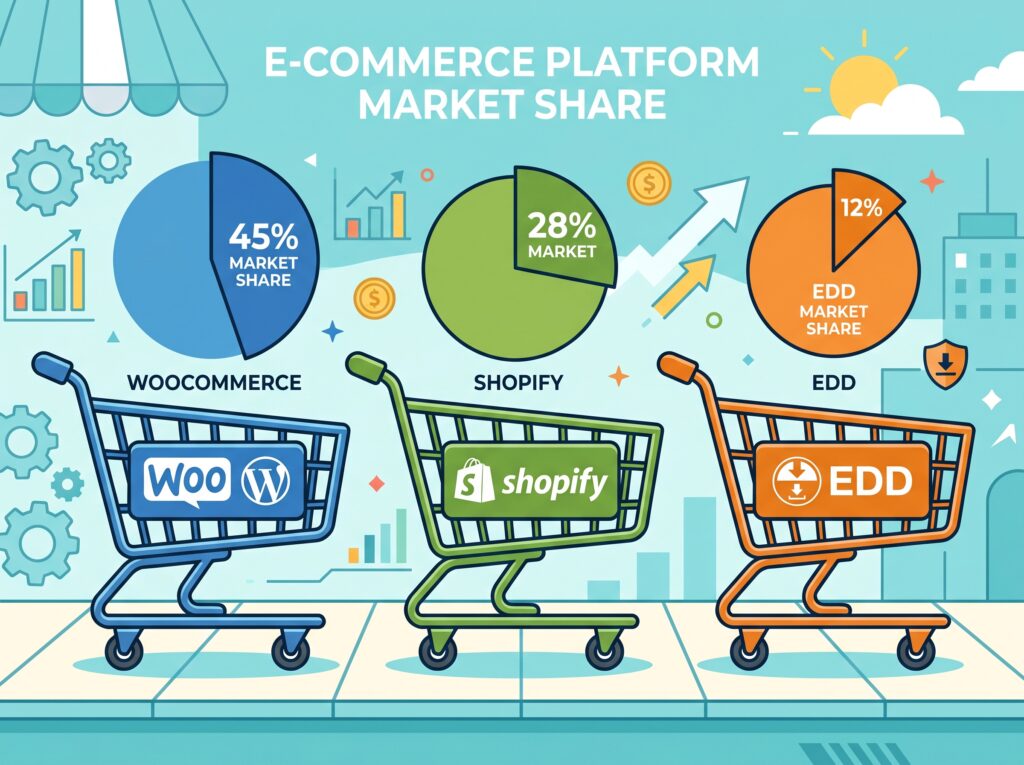
- Global e‑commerce platform market share – WooCommerce powers well over a third of all online stores worldwide. In the same analysis, Shopify captures about a quarter of the market.
- Among e‑commerce sites (including niche platforms) – Another widely cited source reports that WooCommerce is used by nearly half of all e‑commerce sites, with Shopify close to a third.
- Within the WordPress ecosystem – WooCommerce’s dominance is almost absolute. The vast majority (over nine out of ten) of WordPress‑based e‑commerce stores run on WooCommerce. That translates to millions of active stores.
Why the numbers vary
Different methodologies explain the difference between surveys. Some count all domains where e‑commerce functionality is detected. Others focus on “active revenue‑generating stores.” Either way, WooCommerce is the undeniable leader in raw store count, especially among smaller and medium‑sized businesses.
💡 Shopify has grown rapidly in high‑revenue brands. But WooCommerce remains the champion of global reach, low‑cost entry, and complete control.
Part 2: WooCommerce vs. Shopify vs. Easy Digital Downloads
2026 is not 2020. The e‑commerce plugin landscape has matured. New players have emerged, and incumbents have refined their offerings.
But for most use cases, the conversation still revolves around three names.
WooCommerce – The Flexible Giant
| Aspect | Details |
|---|---|
| Best for | Physical products, digital products, services, or any mix of the three |
| Initial cost | Free (hosting and extensions extra) |
| Payment fees | None beyond your payment processor’s standard fees |
| Control | You own everything – data, design, checkout flow |
| Extension ecosystem | Thousands of free and paid extensions via WordPress.org and Woo.com |
| 2026 status | Still the most installed e‑commerce plugin, with millions of active installations |
WooCommerce shines when you need flexibility. Want to sell a membership that includes a physical product, a digital download, and a subscription? WooCommerce can do it – often with free or low‑cost extensions.
Shopify – The Hosted Alternative
| Aspect | Details |
|---|---|
| Best for | Direct‑to‑consumer brands that prioritise speed and managed hosting |
| Initial cost | Monthly subscription fees plus transaction fees (unless using Shopify Payments) |
| Payment fees | Extra percentage fee if you don’t use their payment gateway |
| Control | Limited – you’re renting a seat on their platform |
| 2026 status | Strong in North America, Australia, and Japan, especially among high‑revenue brands |
Shopify wins on ease of setup and out‑of‑the‑box performance. But you pay for that convenience through monthly fees, transaction costs, and platform lock‑in.
Easy Digital Downloads (EDD) – The Specialist
| Aspect | Details |
|---|---|
| Best for | Selling only digital products – software, e‑books, plugins |
| Initial cost | Free (with paid extensions for licensing) |
| Payment fees | None (same as WooCommerce) |
| Control | Full (runs inside WordPress) |
| 2026 status | Purpose‑built for digital, but less versatile than WooCommerce |
EDD has a clean, focused interface for digital sellers. Its free version is capable. However, its ecosystem is smaller than WooCommerce’s, and you’ll need paid extensions for features like licensing, which WooCommerce can achieve with free plugins (as we’ll cover later in this series).
Which one should you choose?
| If you want… | Choose… |
|---|---|
| A store that can sell anything | WooCommerce |
| No server maintenance, all‑in‑one monthly fee | Shopify |
| A pure digital download store with minimal overhead | EDD |
| To sell your own WordPress plugins (with licensing) | WooCommerce (with the right plugins) |
My recommendation: If you’re already running a WordPress site (as most of my readers are), WooCommerce is the natural choice. It keeps everything in one dashboard, costs less over time, and gives you complete ownership of your customer data and checkout experience.
Part 3: The Rebrand – From WooCommerce to Woo
In 2025, the official WooCommerce team quietly but significantly rebranded.
- WooCommerce.com became Woo.com.
- WooCommerce Payments became WooPayments.
- The internal and public messaging shifted toward the shorthand “Woo.”
Why does this matter? Because it signals a broader vision. The platform is no longer just a “commerce plugin for WordPress.” It’s positioning itself as a modern, flexible commerce platform – one that happens to be built on WordPress.
For store owners, the change is mostly cosmetic. But it reflects a renewed engineering focus on speed, block‑based experiences, and core features that used to require premium extensions.
💡 You’ll see “Woo” used interchangeably with “WooCommerce” in developer docs and community discussions. For the purposes of this guide, they mean the same thing.
Part 4: The Two Biggest Technical Shifts in 2026
If you haven’t touched WooCommerce since 2022, you’re in for a surprise. Two fundamental architectural changes have reshaped the platform.
1. High‑Performance Order Storage (HPOS)
Traditionally, WooCommerce stored orders as custom post types – the same way WordPress stores blog posts. That worked for small stores but became a bottleneck as order volume grew.
HPOS moves order data into dedicated, optimised database tables. The result:
- Multiple times faster order processing
- Dramatically faster order filtering in the admin
- Better scalability for stores with tens of thousands of orders
HPOS has been stable for several major releases and is now enabled by default for new installations. If you’re starting a new store, you’ll benefit from it immediately. Existing stores can migrate with proper planning – a topic I’ll cover later in this series.
2. Block‑Based Cart & Checkout
The second major shift is the transition from shortcode‑driven cart/checkout pages to native blocks.
| Version | Milestone |
|---|---|
| Recent major release | Cart & Checkout blocks become the default for new stores |
| Later release | Legacy shortcode checkout officially deprecated |
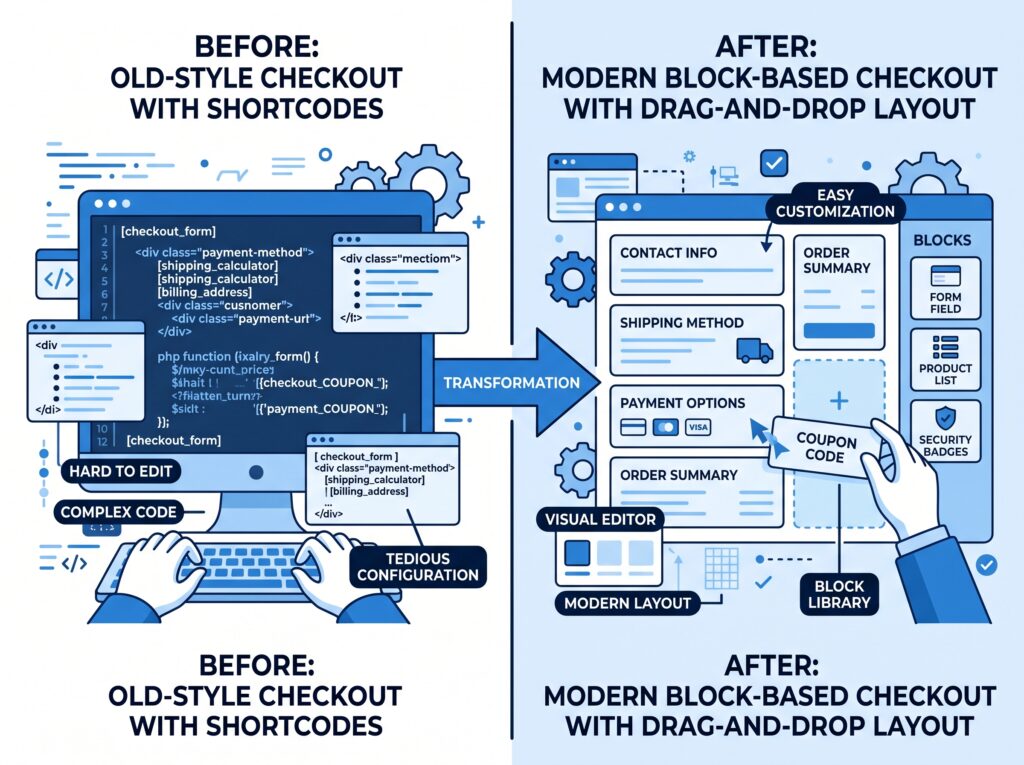
What does this mean for you? If you customised your checkout using PHP hooks and template overrides, those customisations may not work with the new block checkout. The new extensibility model leans on the Store API and JavaScript components instead of PHP filters.
Don’t worry – I’ll walk you through the migration process and show you how to customise the block checkout safely in an upcoming article.
Part 5: What’s Coming in WooCommerce 9.6 and Beyond
The WooCommerce roadmap is public and active. Here are the most important releases on the horizon.
| Feature | What it means |
|---|---|
| Brands integrated into core | Previously a premium extension; now a native WooCommerce feature |
| Refreshed product editor | A new block‑based interface for editing products |
| Store API upgrades | Better support for headless and high‑performance checkout flows |
| Improved measurement units | More granular control over weight, dimension, and stock measurement |
In the longer term, the WooCommerce team has committed to bringing more essential features into core – reducing the need for separate extensions.
For you, this means fewer plugin conflicts, lower ongoing costs, and a more stable store over time.
What’s Next in This Series?
Now that you understand why WooCommerce dominates e‑commerce in 2026, it’s time to build.
👉 Next article: Installing WooCommerce & Running the Setup Wizard (2026 Edition) – I’ll walk you through the installation, initial configuration, and the key choices that affect your store’s performance from day one.
Do you already use WooCommerce, or are you just getting started? Let me know in the comments what you’re planning to sell – I’d love to help you plan your store.
📌 Key Takeaways (for skimmers)
- WooCommerce powers the majority of all online stores globally – still the most popular e‑commerce platform.
- The rebrand to “Woo” signals a broader vision but doesn’t change how the platform works.
- Shopify is stronger in high‑revenue brands and managed hosting; EDD is better for pure digital stores with minimal needs.
- HPOS (High‑Performance Order Storage) delivers dramatically faster order processing – enabled by default for new stores.
- Block‑based checkout replaced the legacy shortcode system. Customisations now require block/Store API knowledge.
- Brands are coming to core in upcoming versions – previously a paid feature.