WordPress isn’t standing still. Here’s everything coming in the next few releases – and how to prepare.
If you’ve followed this entire series, you now know Gutenberg inside out. You’ve mastered blocks, patterns, Full Site Editing, and even advanced CSS techniques.
But the WordPress you know today won’t be the same a year from now.
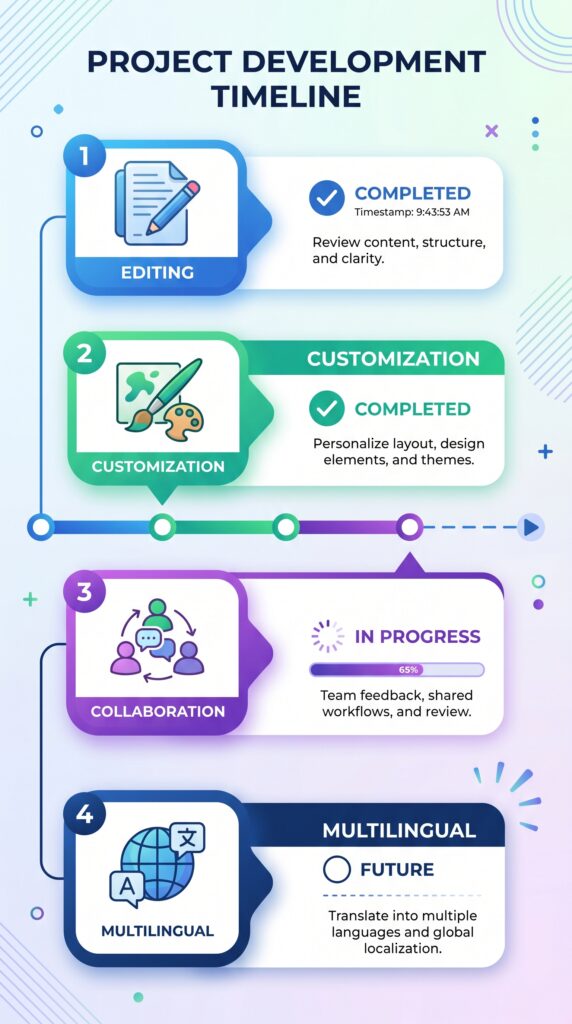
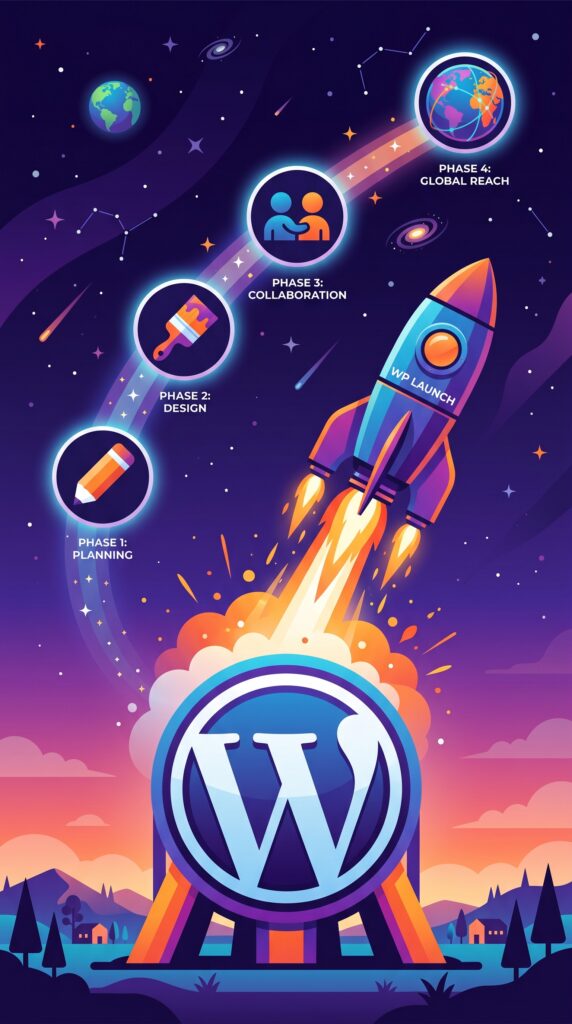
The Gutenberg project is a multi‑year roadmap divided into four phases. We’ve completed Phases 1 and 2. We’re now deep into Phase 3. And Phase 4 is on the horizon.
In this final article of the series, I’ll cover:
- The four phases of Gutenberg – where we’ve been and where we’re going
- What’s already here in WordPress 6.8 (and why it matters)
- What’s coming in WordPress 6.9
- WordPress 7.0 – the biggest update since 5.0
- Phase 4: Native multilingual support in core WordPress
- AI in WordPress (the official roadmap)
- How to prepare your site and skills for the future
Let’s look ahead.
Part 1: The Four Phases of Gutenberg – A Quick Recap
The Gutenberg project isn’t just a new editor. It’s a complete reimagining of how content is created and managed on the web. It’s divided into four phases that touch every major part of WordPress.
| Phase | Focus | Status | Key milestone |
|---|---|---|---|
| Phase 1 | Easier Editing | ✅ Complete | WordPress 5.0 – introduced the Block Editor |
| Phase 2 | Customization (Full Site Editing) | ✅ Complete | WordPress 5.9 / 6.3 – Site Editor, block themes, Global Styles |
| Phase 3 | Collaboration (real‑time teamwork) | 🚧 In progress | WordPress 6.9, 7.0, 7.1 |
| Phase 4 | Multilingual (native translation in core) | 🔮 Future (post‑7.2) | Not yet scheduled |
If you understand these four phases, you understand where WordPress is heading.
- Phase 1 gave us blocks. Phase 2 gave us Full Site Editing (the ability to build entire sites with blocks). This series covered both extensively.
- Phase 3 – currently underway – is about collaboration.
- Phase 4 will bring built‑in multilingual support to WordPress core, eliminating the need for separate translation plugins.
But there’s more. WordPress has also announced major AI initiatives and performance improvements beyond the original four‑phase plan.
Let’s dive into what’s already here – starting with WordPress 6.8.
Part 2: What’s Already Here – WordPress 6.8
WordPress 6.8, named “Cecil” after jazz musician Cecil Taylor, was released in April 2025. It’s largely a polish release – refining what already exists rather than adding radical new features.
Key block editor improvements in 6.8
| Feature | What it does |
|---|---|
| Background images on Group blocks | You can now set background images directly on Group blocks, expanding design possibilities without custom CSS. |
| Pattern overrides (more intuitive) | Easier content updates in synced patterns without breaking the original design. |
| Query Total block | Displays query info inside a Query Loop – e.g., “Showing 1–6 of 12 results”. |
| Ignore sticky posts in Query Loop | Finally, you can treat sticky posts as regular posts (or exclude them entirely). |
| Font Library performance | Faster font management across your site. |
| Revamped Style Book | A new, structured layout for managing block styles, plus Style Book support for classic themes. |
| Interactivity API (closer to stability) | Standard way to add client‑side interactivity to blocks without heavy frameworks. |
For developers
- Block Hooks stabilized – plugins can automatically inject blocks into content in predictable locations.
- Improved Data Views – more customizable page management in the Site Editor (Preview, Slug, Parent, Discussion, Template, Password columns).
- Lazy loading for iframes enabled by default – improves Core Web Vitals.
What this means for you: If you’re already comfortable with Gutenberg, 6.8 doesn’t change your workflow dramatically. But it makes existing features smoother, faster, and more powerful – especially for building dynamic sites with Query Loop and patterns.
💡 If you haven’t yet explored Group block background images or the improved Data Views, open your Site Editor and play around. These small quality‑of‑life improvements add up.
Part 3: Coming Soon – WordPress 6.9 (December 2026)
WordPress 6.9 is the major collaboration release. This is where Phase 3 truly begins to take shape. According to the official roadmap published on Make.WordPress.org, WordPress 6.9 is scheduled for December 2026.
Here’s what’s coming.
Block Notes – Google Docs‑style collaboration
Probably the most exciting feature: Block Notes lets you pin comments directly to specific blocks within the editor. Team members can leave feedback, ask questions, or suggest changes – exactly where they matter.
No more “the third paragraph under the image” confusion. No more email chains about content edits.
Initially called “Notes” in earlier betas, this feature has matured significantly, making collaborative editing more intuitive and powerful.
Visual drag‑and‑drop editing
Block placement has always been slightly awkward. WordPress 6.9 changes that with true visual drag‑and‑drop – you’ll see exactly where blocks will land before you release your mouse. The page rearranges in real time as you drag.
This single change will eliminate years of frustration for content creators.
New blocks
| New block | What it does |
|---|---|
| Accordion | Collapsible sections with proper HTML5 tags – no more manual “read more” hacks |
| Terms Query | Dynamically display category and tag lists |
| Time‑to‑Read | Automatically calculates reading time based on word count |
| Math | Render equations using accessible MathML |
| Comment Count / Comment Link | Separate blocks for flexible comment layout control |
| Gallery aspect ratio | Force uniform image dimensions in galleries – no more misaligned grids |
Command Palette (Cmd+K or Ctrl+K)
Power users rejoice. WordPress 6.9 introduces a Command Palette – press Cmd+K (on Mac) or Ctrl+K (on Windows) to navigate the entire admin area and execute commands without touching your mouse.
This is a massive productivity boost. You’ll be able to search posts, switch between editors, insert blocks, and even run actions – all from the keyboard.
Simplified editing modes (content‑first)
WordPress 6.9 sets the stage for a content‑first editing experience that fully lands in 7.0. The new “Write” mode keeps the interface minimal, like a basic text editor – just you and your content. When you need advanced design controls, switch to “Design” mode.
This recognises that not everyone wants to be a designer. Sometimes you just want to write.
AI infrastructure (behind‑the‑scenes)
WordPress is building foundation‑level AI infrastructure. Features like Abilities API, MCP Adapter, and PHP AI Client lay the groundwork for automated site management. This doesn’t mean your site will suddenly have AI chatbots everywhere. It means developers will have standardised tools to build AI features that work consistently with WordPress.
Hide blocks on the front‑end
You’ll be able to keep blocks in the editor but hide them on the live site. Perfect for draft content you’re not ready to publish, or hidden notes for other editors.
Fit text to container
Text will automatically resize to fill containers across all screen sizes. No more manually adjusting font sizes for different devices.
Starter patterns for all post types
The pattern modal (where you insert pre‑designed layouts) will now work for posts and custom post types. This is huge for developers building custom content types – you can offer starter patterns for portfolio items, products, testimonials, and more.
What this means for you: If you work alone, Block Notes may not excite you – but the Command Palette, new blocks, and visual drag‑and‑drop certainly will. If you work in a team, 6.9 is transformational. WordPress is becoming a collaborative platform.
Part 4: WordPress 7.0 – The Biggest Update Since 5.0
WordPress 7.0 is a major milestone. According to the official roadmap, it was planned for April 2026, with follow‑up releases 7.1 (August 2026) and 7.2 (December 2026).
WordPress 7.0 marks the most architecturally significant update since Gutenberg arrived in version 5.0 back in 2018. It advances Phase 3 collaboration features significantly.
What’s coming in WordPress 7.0
| Feature | What it means |
|---|---|
| Real‑time co‑editing | Multiple users editing the same post simultaneously (like Google Docs). This requires significant database changes |
| Client‑side media handling | Faster media processing on the user’s device before upload |
| Responsive styling controls | Granular design tools for each breakpoint (desktop, tablet, mobile) |
| Expanded block tools | Even more design flexibility within individual blocks |
| Collaboration workflows | Built‑in approval systems, version control, and role‑based editing permissions |
| AI features with clear guardrails | Intentional AI integration across creation, workflows, and contribution – with project‑wide guidelines |
The “Full Simplified Editor” experience
WordPress 7.0 will fully deliver the content‑first editing experience that 6.9 introduced. Instead of switching modes manually, you’ll get an easy “Edit contents” button in the sidebar, giving you a more efficient way to work with patterns without the extra clutter.
Why 7.0 matters
Version numbers don’t always indicate significance. Version 5.0 brought the block editor – a fundamental shift. The 6.x releases (from 6.0 through 6.8) have been evolutionary.
Version 7.0 is another 5.0 moment. Not because it changes everything on day one, but because it establishes the new baseline for the next era of WordPress.
If you’re a solo blogger, real‑time co‑editing may not matter to you. But responsive styling controls, AI features, and client‑side media handling will.
If you run a team or agency, 7.0 is where WordPress finally becomes a serious collaborative platform for content teams.
Part 5: Phase 4 – Native Multilingual Support
This is the final phase of the original Gutenberg roadmap. And it’s huge.
Phase 4 will bring built‑in multilingual (translation) support to WordPress core.
Currently, if you want a site in multiple languages, you need a plugin like WPML, Polylang, or TranslatePress. These work, but they add complexity, potential conflicts, and extra cost.
With Phase 4, WordPress will handle multilingual sites natively.
What to expect (based on the roadmap)
- Ability to create content in multiple languages without separate plugins
- Language‑specific URLs (for example,
yoursite.com/en/blog,yoursite.com/es/blog) - Translation workflows for editorial teams
- Integration with Gutenberg blocks (translate individual blocks)
When?
Phase 3 is the immediate priority – and it’s substantial. Real‑time co‑editing alone is a massive technical undertaking.
Phase 4 will likely arrive after WordPress 7.2, in late 2026 or early 2027.
But when it does, it will remove one of the last major reasons to rely on third‑party plugins for essential functionality.
What this means for you: If you run a multilingual site, you can eventually simplify your stack. If you only run a single‑language blog, Phase 4 won’t immediately affect you – but the underlying APIs will open new possibilities for language‑aware plugins.
Part 6: AI in WordPress – The Official Roadmap
Beyond the four phases, WordPress has announced a major AI initiative.
The goals:
- AI everywhere, with clear guardrails – intentional AI integration across creation, workflows, and contribution
- Project‑wide guidelines that uphold transparency, user control, and WordPress values
- Simplify creation and workflows – AI suggestions for content, design, and site management
We’ve already seen early hints in WordPress 6.9 with the Abilities API and AI infrastructure for developers. Over the next few years, expect:
- AI‑generated image suggestions
- Content summarisation and SEO suggestions directly in the editor
- Automated alt text generation
- Smart pattern recommendations based on your content
- Site management assistance (for example, “help me optimise my site speed”)
This isn’t about replacing creators. It’s about removing friction so you can focus on what matters – your content, your audience, your business.
💡 The AI features will be opt‑in, with clear controls. WordPress’s philosophy is that you should always remain in control of your site and your data.
Part 7: Beyond 7.0 – The Longer Term (Version 8.0 and beyond)
The roadmap beyond version 7.0 includes:
Data Liberation Project
WordPress is investing in data ownership and portability, making it easier to move your content on or off the platform. This means:
- Better export formats
- Easier migrations between systems
- You own your content, period
Continued performance focus
Each release includes under‑the‑hood improvements to Core Web Vitals, block loading optimisation, and server‑side rendering enhancements. The trend is clear: WordPress is getting faster every year.
Full Site Editing maturity
Full Site Editing is already here, but it will continue to improve – better template management, more intuitive theme.json controls, and deeper integration with patterns.
Developer experience
The Interactivity API will reach stability, Block Bindings will unlock new data‑driven possibilities, and the developer tooling will continue to modernise (Sass modules, improved build processes, and more).
Part 8: How to Prepare Your Site and Skills for the Future
You don’t need to panic – or even change much right now. But here’s what you can do to stay ahead.
For all WordPress users
- Stay updated – Always run the latest WordPress version. Each release includes security patches, not just features.
- Use the Gutenberg plugin (on a staging site) – If you want to test upcoming features before they hit core, install the Gutenberg plugin. It includes experimental features months before release.
- Learn patterns and synced patterns – As collaboration grows, patterns become central. Master them now.
- Use block themes (or prepare to transition) – Full Site Editing is the future. If you’re still on a classic theme, start planning a migration (not urgent, but eventually necessary).
For team and agency users
- Document your workflows – Phase 3 is about collaboration. Understand how your team creates, reviews, and publishes content. The new tools will plug into those workflows.
- Start using reusable blocks and synced patterns – These will become even more valuable with collaboration features.
- Prepare for Block Notes – Train your team to use inline comments. It will change how you communicate about content.
For developers
- Learn the Interactivity API – It’s the future of dynamic blocks without JavaScript frameworks.
- Explore Block Hooks – They’re stabilised in version 6.8. Learn how plugins can inject blocks automatically.
- Understand Block Bindings – This API connects blocks to dynamic content sources. It’s the foundation for many Phase 3 and Phase 4 features.
- Watch for the Abilities API – AI infrastructure will be central to the next generation of WordPress plugins.
What you don’t need to worry about (yet)
- Multilingual support is still a year or more away. Existing translation plugins will continue to work.
- Real‑time co‑editing won’t break your existing content. It’s an additive feature.
- AI features are opt‑in. WordPress is committed to user control and transparency.
The Big Picture: Why WordPress Is Becoming More Than a CMS
When I started this blog (and this series), WordPress was a blogging platform that could also build websites.
Now, WordPress is positioning itself as a business platform:
- Full Site Editing – You can build entire sites without touching a page builder or code.
- Collaboration (Phase 3) – Teams can work together seamlessly, not through email chains and manual handoffs.
- Multilingual (Phase 4) – Native multi‑language support will open WordPress to entire new markets.
- AI everywhere – Intelligent assistance that reduces friction and speeds up creation.
- Data liberation – You own your content and can move it anywhere.
The WordPress of 2028 will look very different from the WordPress of 2024. But the core mission remains the same: democratise publishing and put content creators in control.
You’re not just learning a tool. You’re learning a platform that will evolve with you for years to come.
What’s Next After This Series?
You’ve completed the Gutenberg & Block Themes series. You now understand:
- Every block type (text, media, design, widgets, theme)
- Query Loop (the most powerful block)
- Full Site Editing (templates, template parts, Global Styles)
- Patterns and reusable blocks (saving time and consistency)
- Advanced CSS and customisation techniques
- The future roadmap (Phase 3, Phase 4, AI, WordPress 7.0 and beyond)
But this isn’t goodbye. WordPress is vast. Here’s what you can explore next:
- WooCommerce for plugin sales – Set up a store to sell your own WordPress plugins (coming soon in this blog)
- Creating your first WordPress plugin – From idea to WordPress.org repository
- WordPress performance optimisation – Advanced caching, CDN, database tuning
- WordPress security – Beyond basic Wordfence, deep dive into hardening
- Headless WordPress – Using WordPress as a backend with React, Next.js, or other front‑end frameworks
I’ll be covering many of these topics in future series. Subscribe to the newsletter (if you haven’t already) – you won’t miss a single guide.
What part of WordPress’s future excites you most? Real‑time collaboration? Native multilingual? AI features? Let me know in the comments.
📌 Key Takeaways (for skimmers)
- Four Gutenberg phases: 1. Editing (done), 2. Customisation (done), 3. Collaboration (in progress), 4. Multilingual (future).
- WordPress 6.8 is a polish release – background images on Group, Query Total block, improved Data Views, Interactivity API progress.
- WordPress 6.9 brings Block Notes (collaboration), visual drag‑and‑drop, Command Palette, new blocks (Accordion, Terms Query, Time‑to‑Read), AI infrastructure.
- WordPress 7.0 is the biggest update since 5.0 – real‑time co‑editing, client‑side media, responsive styling controls, expanded collaboration workflows.
- Phase 4 will bring native multilingual support to core (after WordPress 7.2, likely 2027).
- AI in WordPress is officially on the roadmap – with clear guardrails and user control.
- How to prepare: Stay updated, use staging sites with the Gutenberg plugin, learn patterns and synced patterns, transition to block themes (eventually).
- The future: WordPress is becoming a full business platform – not just a CMS.
🔗 Internal Links
- Article #1 – Gutenberg Introduction
- Article #4 – Design Blocks (Groups, Columns)
- Article #6 – Query Loop Deep Dive
- Article #7 – Full Site Editing
- Article #8 – Patterns and Reusable Blocks
- Article #9 – Advanced CSS and Techniques